AI-Powered Event Floor Plan Software

Describe your show floor in plain English and Map D's AI Floor Plan Assistant builds it. Then publish a living floor plan so exhibitors, sponsors and attendees always see the latest layout.

Build your floor plan free
Buyer summary

What is trade show floor plan software?

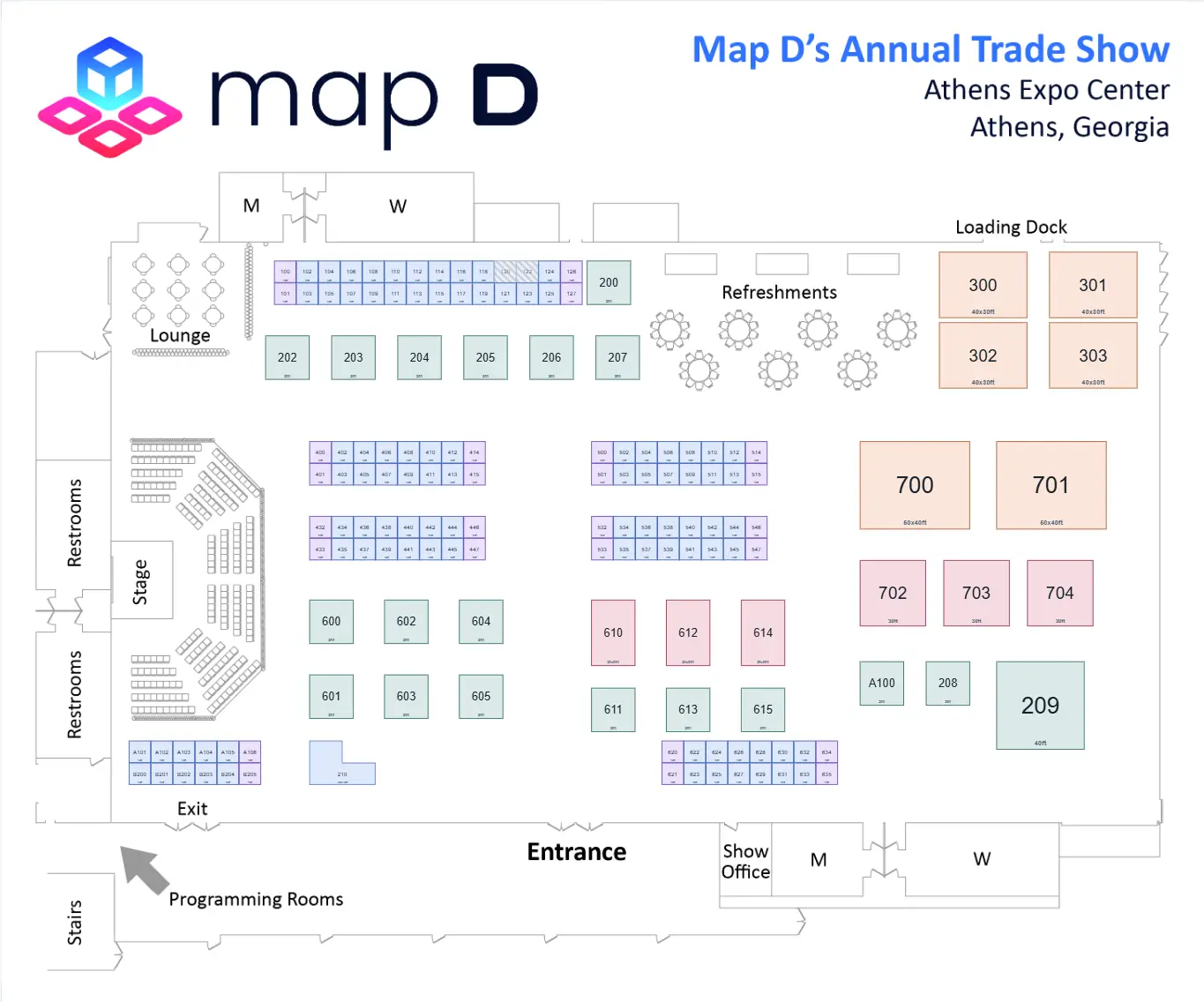
Event floor plan software lets organizers build, price, publish, and update an interactive venue map. Map D adds an AI Floor Plan Assistant that drafts and edits the plan from plain-English requests, and keeps booth availability, exhibitor discovery, purchases, and attendee wayfinding connected to the same live plan.

Best for
Trade shows, expos, festivals, and conferences with sellable floor inventory
What to evaluate
  • AI floor plan assistant
  • Live editing
  • Booth sales
  • Embeds and mobile access
New: AI Floor Plan Assistant

Build Your Floor Plan by Asking

Describe the show you want, from the hall and its doors to every numbered booth, and the assistant drafts it on your map in seconds. Keep going in plain English to move, price, check and refine anything, without selecting a single booth.

  • Every change arrives as a proposal you review before anything moves
  • Apply it in one step, and undo it in one step
  • Works on blank maps, existing maps and imported drawings
Floor plan assistant
Fill Hall A with 10x10 booths in back-to-back rows with 10 ft aisles, numbered from 100.

Drafted 156 booths in Hall A, numbered 100 to 255. Nothing has moved yet: review the change, then apply it.

Before and after
Booths
0
156
Sellable sq ft
0
15,600
Revenue at list price
$0
$280,800
DiscardApply 156 changes
Describe a change to the floor plan…

What You Can Ask For

  • A Floor Plan From One Sentence

    Describe the hall, walls, doors, halls and booths in one message. The assistant builds it in phases you approve one at a time.

    “Build a 300 by 200 ft hall with two halls and 10x10 booths numbered from 100.”

  • Compare Layouts Before You Commit

    Get two or three versions side by side, measured on booths, sellable space, revenue at list price and walking distance.

    “Show me 3 options for filling Hall B.”

  • Complex Layouts, Zero Drafting

    Centerpieces, rings around a stage, cross aisles and a mix of booth sizes, laid out clear of everything already on the floor.

    “Put a 30x30 in the middle of Hall B, 10x10s all around it, and aisles leading in.”

  • Price Premium Inventory in Seconds

    Create booth types with their price and put them on the right booths by name: corners, islands, end-caps or a whole hall.

    “Make every corner booth in Hall A Premium at $3,200.”

  • Catch Problems Before Exhibitors Do

    Check the map against your own rules for aisle widths and door clearance, then fix every problem in one click.

    “Check my map against our 12 ft aisle rule, and fix it.”

  • Turn a Drawing Into a Live Map

    Import your venue's floor plan and the assistant traces the walls, doors, halls and numbered booths onto the map for you to review.

    “Trace this floor plan drawing.”

And much more:
  • Attendee walking paths
  • Tables and seating
  • Sponsor images
  • Hall labels and arrows
  • Exhibitor assignments
  • Sale status and holds
  • Numbering by aisle
  • Undo by asking
  • Insights from last year

See the AI Floor Plan Assistant in action

Watch Map D's AI Floor Plan Assistant build a show floor, compare layouts, price booths, check the map and trace a drawing, all from plain-English requests.

Trusted by leading associations

  • naa
  • new york school nutrition-association
  • gsae
  • bmsa
  • fhba
  • american distilling institute
  • cannacon
  • aia florida
  • the fit expo

Everything you need to build and share floor plans

Drag and Drop Booths

Upload an image of the floor plan then drop booths into place. Snap-to-grid keeps rows straight and dimensions exact.

Live Updates

Instant updates keep everyone aligned across organizers, exhibitors, and attendees.

Embedded Interactive Map

Paste a two-line script to add the live map to your site or app and keep everyone viewing the latest layout.

More ways to keep floor plans moving

Drag-and-Drop Booth Placement

Draw, resize, and layer booths in seconds. The Booth Types Editor lets you pre-price premium corners and islands.

Spring Expo 2026 — Halls A & BPublished
Hall A floor plan with booths colored by sales status
AvailableReservedSoldUnavailable

Exhibitor & Attendee Views

Exhibitors see real-time availability, specs, and cart checkout. Attendees can filter by category, bookmark favorites, and share routes.

Floor Plan EditorSaved · syncing
AISLE 100
STAGE
LOUNGE
Booth Properties
Number
B104
Size
10' × 10'
Pricing zone
Standard · $2,400
Status
Open for salePublishes to web + app

Navigation & Wayfinding

Explore exhibitors and booths on the interactive floor plan, then open the full venue map for a complete layout.

Find your wayHall A to Hall B
ROUTE

Turn-by-turn from where the attendee is standing to the booth they saved.

Live Updates & Multi-User Editing

Two admins can edit the same floor in parallel, and changes merge automatically. Booth Snapshot History and Booth Assignment Audit provide an undo trail for peace of mind.

Spring Expo 2026 — Halls A & BPublished
Hall A floor plan with booths colored by sales status
AvailableReservedSoldUnavailable

Website & Mobile Embedding

Copy and paste the embed code to add the map anywhere. The responsive layout fits any CMS, including HubSpot, WordPress, and association AMSs, while keeping visitors on your site longer for more sponsorship visibility.

Floor Plan EditorSaved · syncing
AISLE 100
STAGE
LOUNGE
Booth Properties
Number
B104
Size
10' × 10'
Pricing zone
Standard · $2,400
Status
Open for salePublishes to web + app
See it on your own floor plan

Stop reading about it. Build one.

Upload the floor plan you already have and place your booths on it yourself, in Map D’s editor. Free to build, no contract, and nothing to install.

800+
Organizers running shows on Map D
6,000+
Events powered every year
800,000+
Booths drawn to date

“I am really excited about this. The staff met with me this morning and we all LOVE the platform. People are already filling out their booths.”

Director, International Trade and Development @ Maine Insurance Agents Association

Explore Map D's capabilities

Booth types editor

Set booth sizes, pricing rules, and premium inventory once so every new floor starts from a clean template.

Saved map views

Create focused views for sales, sponsors, or operations teams without rebuilding the floor plan every time.

Assignment audit trail

See who changed a booth, when it changed, and what the previous assignment looked like before you publish.

Embed-ready layout

Keep one live floor plan synced across your website, mobile app, and attendee touchpoints without duplicate updates.

Your question answered

These are some of the most common questions about building, editing, and sharing live floor plans with exhibitors and attendees.

Contact us

What is Map D's AI Floor Plan Assistant?

It's an AI assistant built into the Map D floor plan editor. You describe what you want in plain English, like the hall size, the booth layout or prices, and it drafts the change on your map. You can build a floor plan from scratch, edit an existing one by name, compare layout options or check the map for problems.

Does the AI change my floor plan without asking?

No. Every change arrives as a proposal that shows exactly what will be added, moved or repriced, with before-and-after numbers. Nothing changes until you apply it, you can leave out individual changes, and one undo reverses the whole change.

Can the AI work from my venue's existing floor plan?

Yes. Import the venue drawing into the map editor and ask the assistant to trace it. It reads the walls, doors, halls and booth numbers and drafts them onto the map for you to review.

What is interactive floor plan software for trade shows?

It’s a digital, zoomable map that shows every booth’s size, price and status in real time, letting exhibitors and attendees explore the hall online before the event.

How does Map D’s interactive floor plan software work?

Drag-and-drop tools let organizers design halls, set pricing tiers, and publish instantly. Exhibitors click to purchase; the plan updates automatically—no double booking.

Can exhibitors reserve or upgrade booths directly on the map?

Yes. Self-service checkout with secure payment lets exhibitors select, pay and receive confirmation in minutes, reducing back-and-forth emails.

Does the floor plan embed on my association website?

Simply copy a code snippet; the map stays mobile-responsive and syncs live with Map D so data never goes stale.

Is filtering and search available for attendees?

Visitors can filter by category, company name, sponsorship level or keywords, making it easy to find the right exhibitors fast.

Will the plan update when a booth sells offline?

Admins can mark booths as sold or held; the map refreshes for all users in real time and logs the transaction.

What integrations are supported?

The floor plan syncs with AMS/CRM, registration and payment gateways via Map D’s open API for seamless data flow.